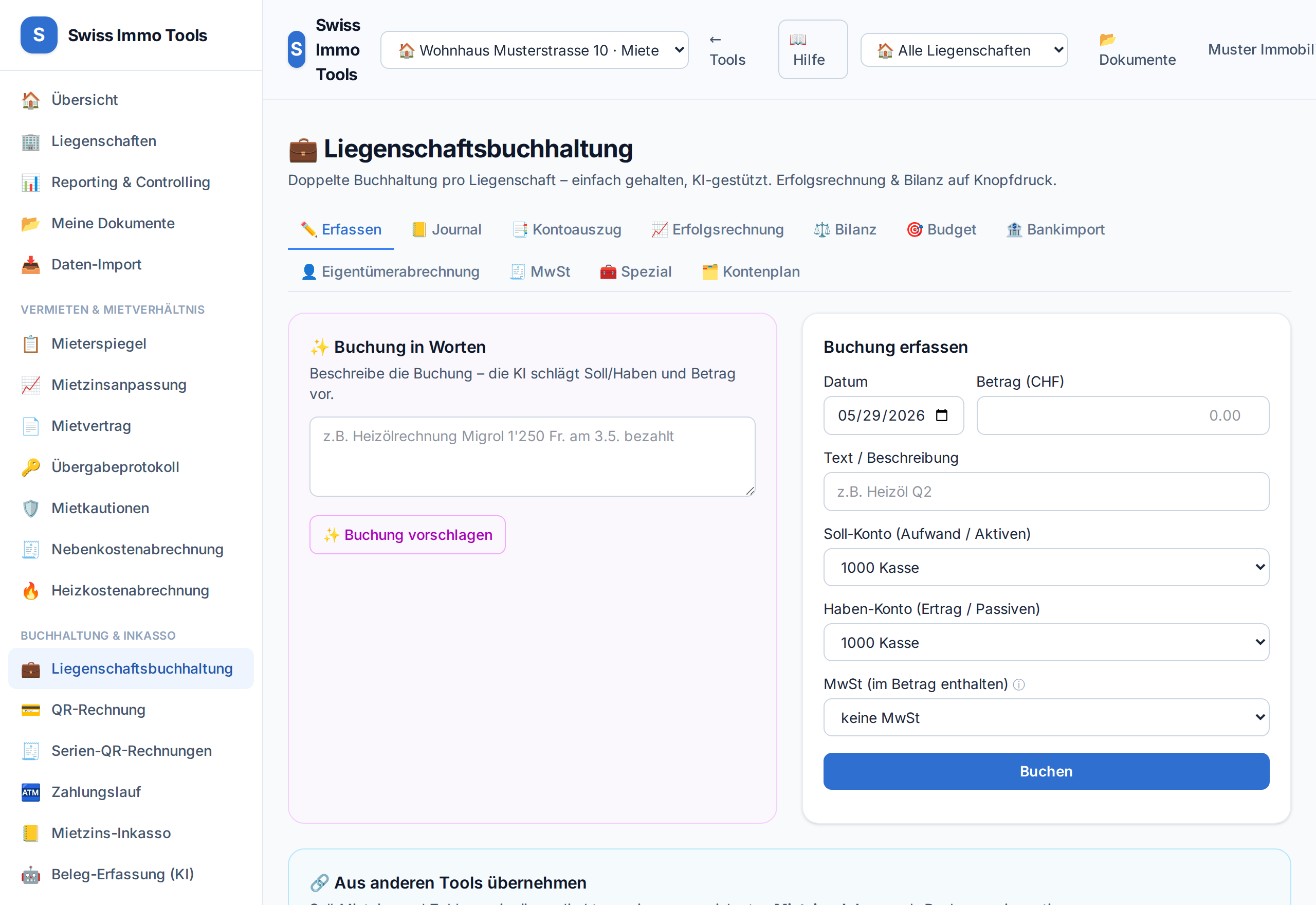
Property accounting is double-entry accounting with a Swiss chart of accounts. Every booking has a debit and a credit account.
-
1
Open the Accounting tool and choose the property at the top. The chart of accounts is created automatically.
-
2
On the Record tab: choose date, text, amount, debit and credit account.💡 Example rental income: debit 1100 receivables / credit 3000 rental income. Example expense: debit 4xxx expense / credit 1020 bank.
-
3
Optionally set VAT per booking – the tax is automatically posted to the VAT account.
-
4
Save. Every booking receives a sequential document number.
-
5
Booked incorrectly? Via Reversal, a counter-entry is created – audit-proof, without deleting.
-
6
Report within the year: income statement and balance sheet follow the period selector — quarter, half-year or month. The balance sheet is then drawn at the period's reference date. Note: depreciation and the renewal-fund contribution are only posted at year-end, so a quarter looks better than the year.
Tool from launch: → Open accounting